Before you start
Your legally obtained PS5 game dump, a 64-bit Windows PC and a Vulkan 1.3 GPU with current drivers. KytyPS5 is evolving quickly; a boot report does not establish that every area or a full playthrough works.
Downloads & documentation
Use the project and author pages below for the current releases and requirements.
KytyPS5 releases
Project documentation
Community compatibility reports
Check the exact build
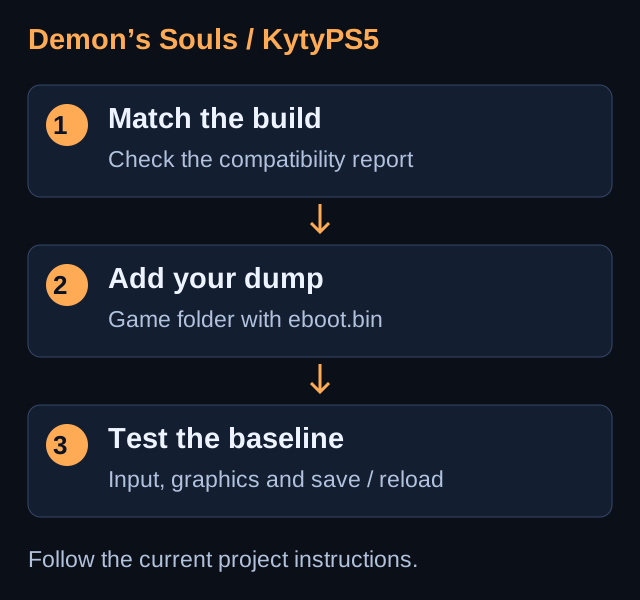
Read the current compatibility report for Demon’s Souls and note its build and game version. Prefer a reported working combination when investigating a regression. This guide has not been validated by a full game playthrough.
Prepare the release
Open the project’s Releases page and choose the Windows build from Assets. Extract the complete archive into its own folder. Keep the release tag with your test notes and retain an older working build separately.
Add your game directory
Run launcher.exe and add your game folder in global settings. KytyPS5 scans recursively for eboot.bin. Supported .zar archives need eboot.bin at their root and can be read without extracting them. Select the detected Demon’s Souls entry.
Start with the default settings
Launch using the build’s defaults. Check input, sound and the first controllable scene before adjusting graphics. Avoid copying performance switches from a different build without a matching report.
Test saving and repeatability
If gameplay is available, test movement, combat and a save/reload. Back up saves before changing builds. Compare the same scene after each change; note visible errors as well as frame rate.
Report a reproducible problem
Search existing project issues. Include the release tag, game version, hardware, exact point of failure and complete emulator log. Review logs for personal paths before sharing them.
Troubleshooting
The game is missing from the launcher
Check the selected scan folder and the location of eboot.bin. Revisit the project’s documented game layout.
A newer build stops working
Compare with your retained build and the latest compatibility report. Graphics glitches and crashes can change between releases; no universal FPS setting is promised.
GO TO THE SOURCE
Sources & reference
Menu names and compatibility may change. Follow the linked project documentation for your exact release.